Skip to content
Get started

Business support system for reference data, supplementary master data and other business data

A home for the data that lives outside your systems

Reference data, mappings, reporting parameters, calculation results and other business data. Maintained by the business and needed by everyone. Today it sits in spreadsheets, database tables or code, where it is hard to see who changed what.

Running Microsoft MDS? Read the migration guide

Maintain data in Excel, with validation and history behind it

This video is hosted by YouTube and loads only when you choose to play it.

Maintained by the business, read by every system

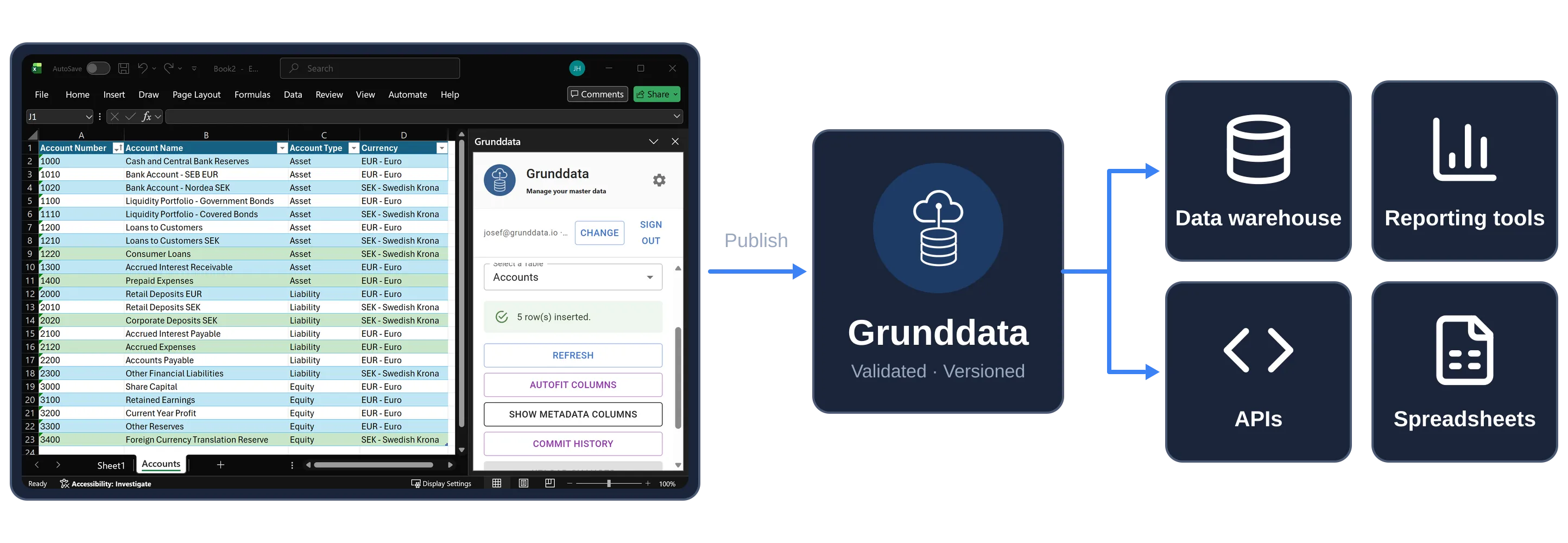
Authenticated users maintain the data in the web app, Excel or Google Sheets. Grunddata validates and versions every change, and every system reads the same version.

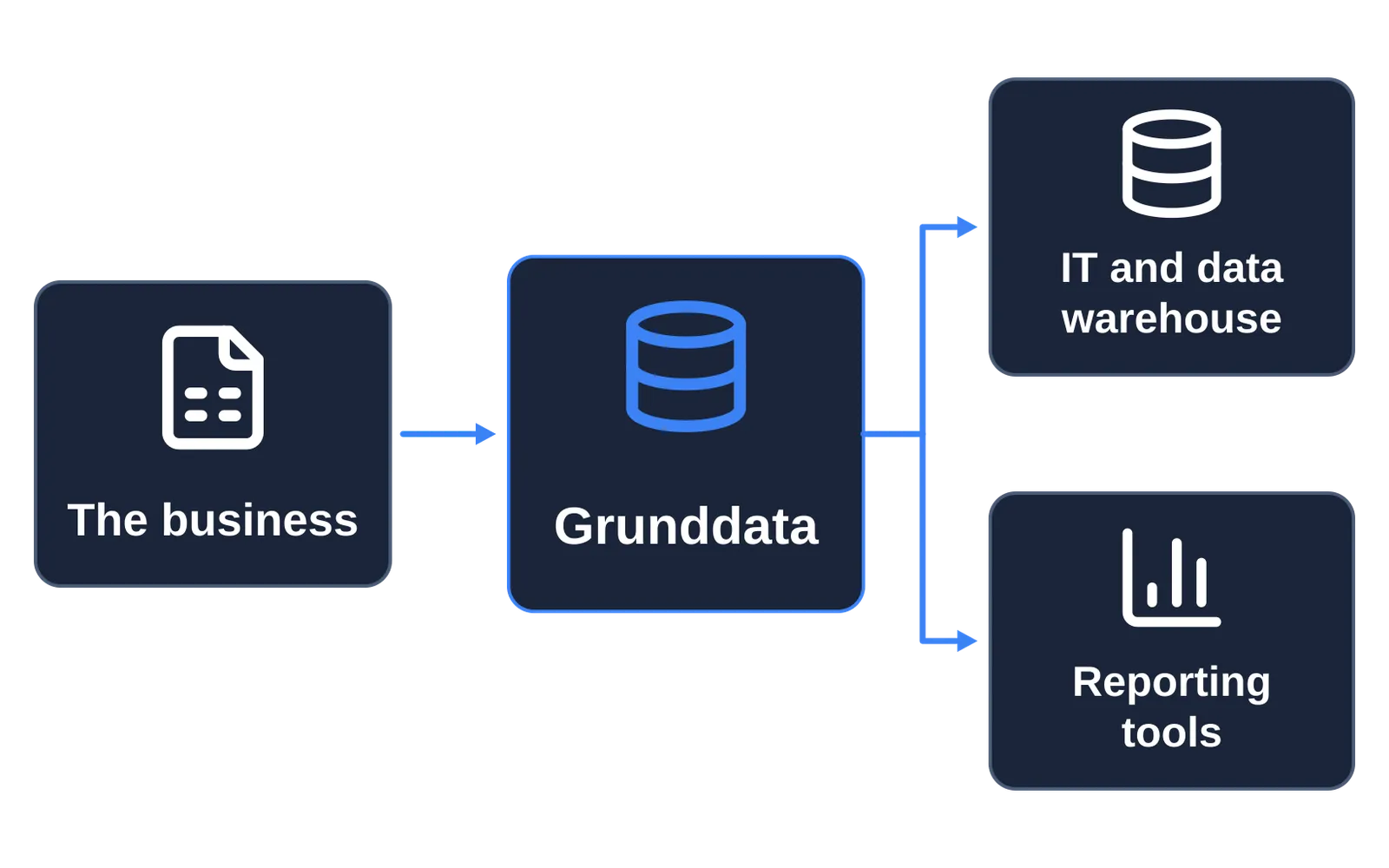
Data is entered in Excel, published to Grunddata and read by the data warehouse, reporting tools, APIs and spreadsheets
  • HostingEU-based cloud infrastructure
  • GovernanceValidated, version-controlled data
  • IsolationDedicated customer environments
  • IdentityMicrosoft Entra ID integration
  • Ways to workWeb app, Excel and Google Sheets

Does this sound familiar?

The data that doesn't have a home

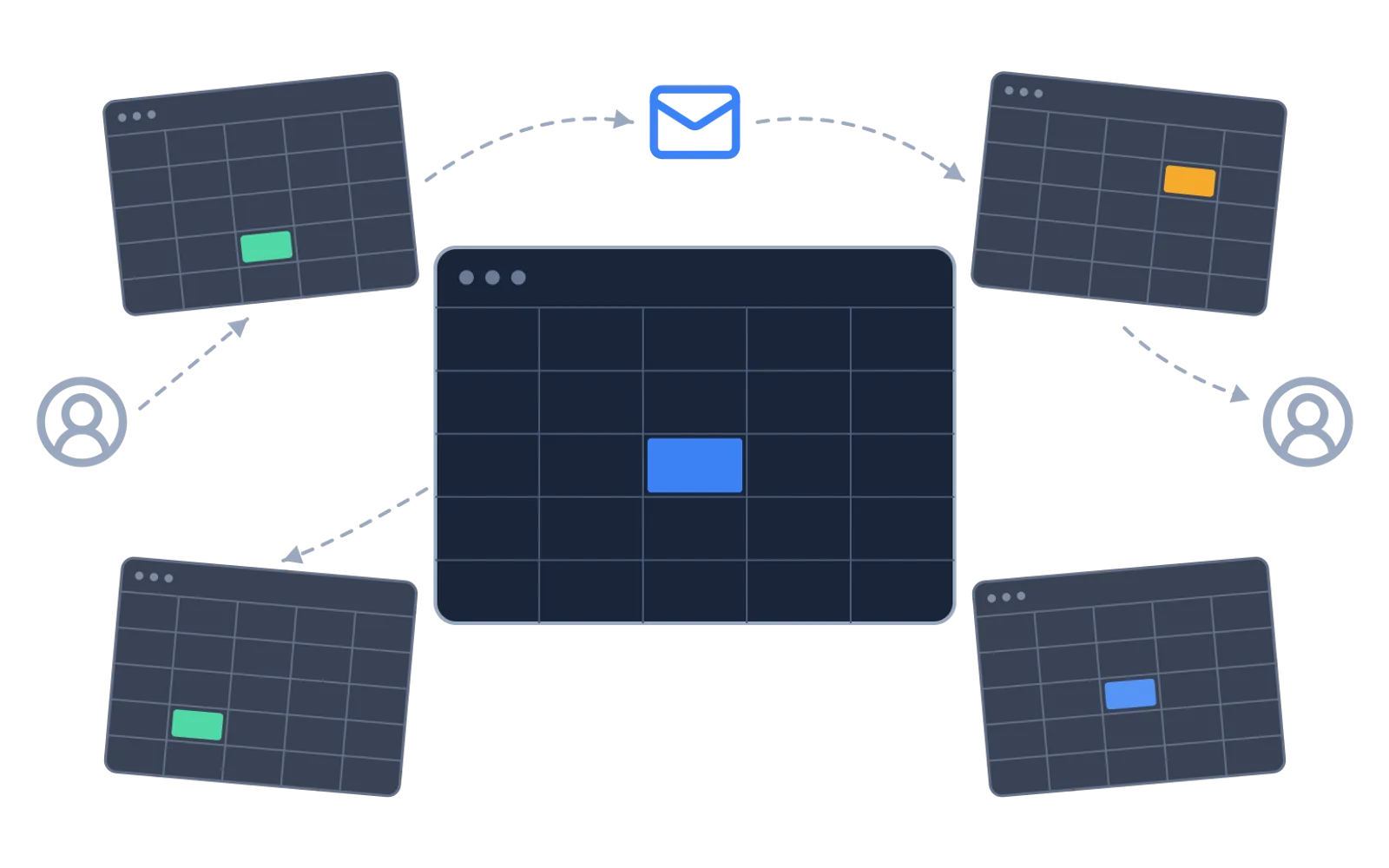
Several copies of the same spreadsheet passed between people by email, each with different changes

01Do you have important data in Excel files?

One wrong change can break the whole file. The file lives on SharePoint, a shared network drive, an FTP server or in someone's inbox. Someone moves three cells and nobody notices until the report is wrong.
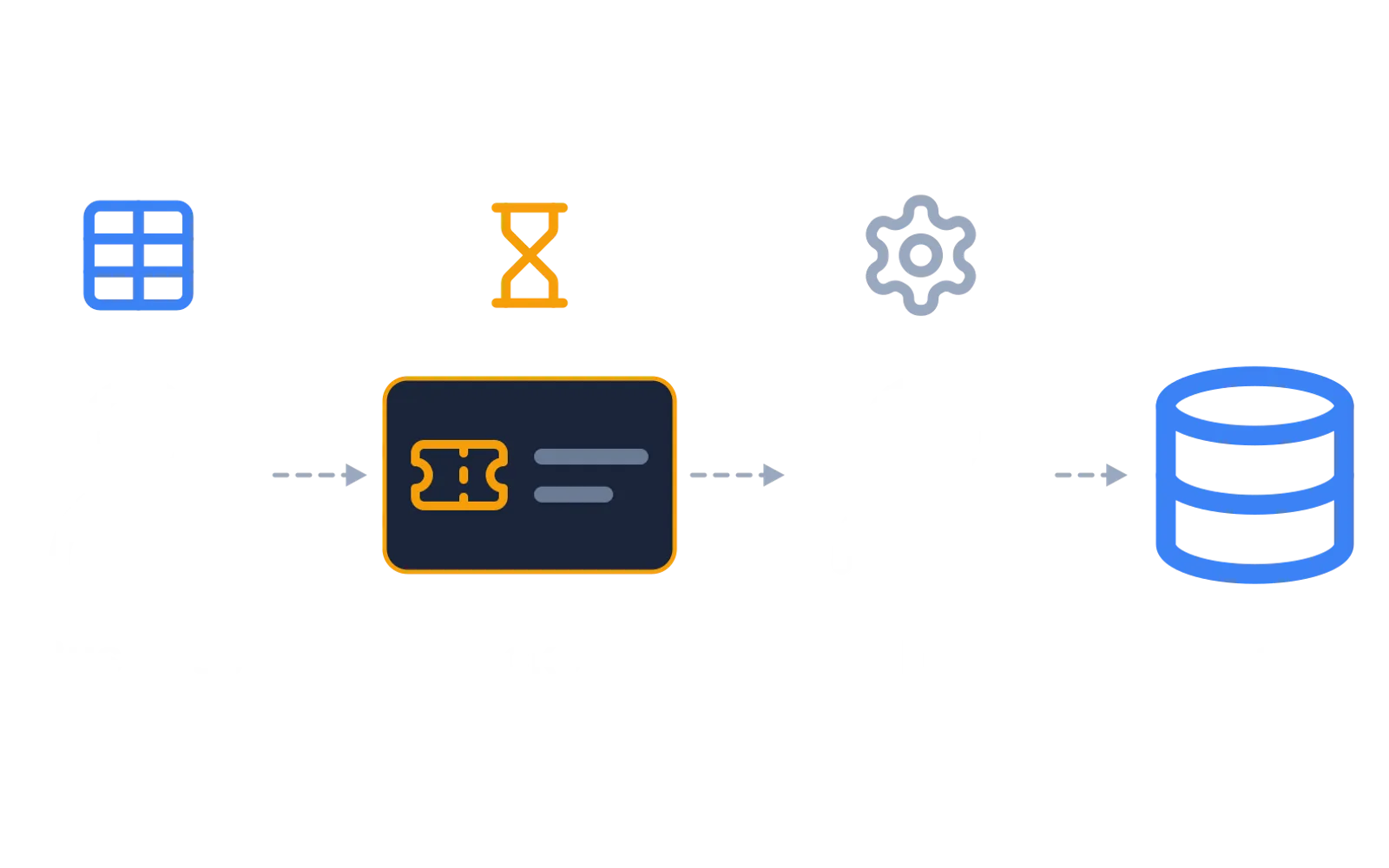
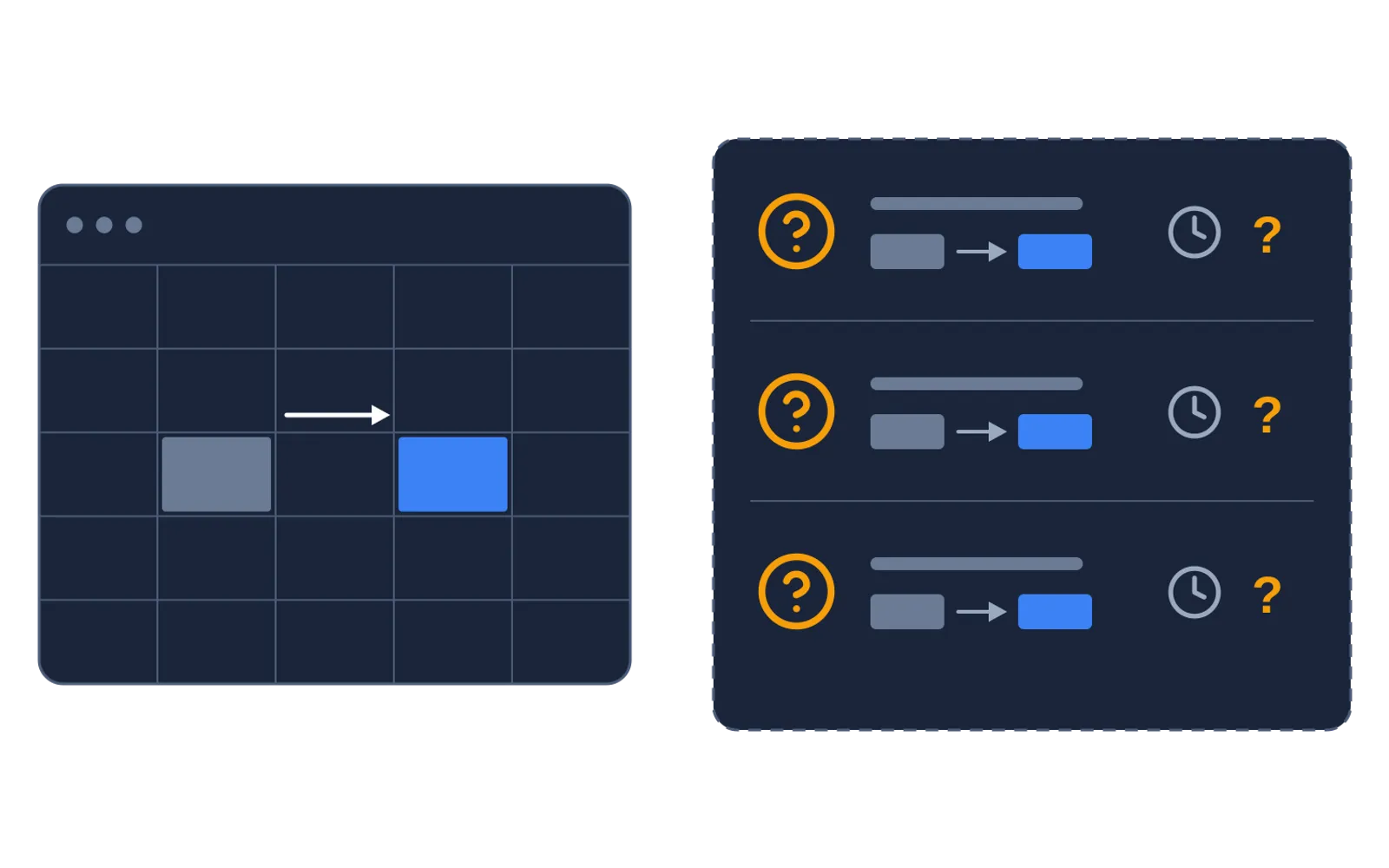
A change request waiting as a ticket between the business and IT before it reaches the table

02Do you have data in database tables or in code that IT has to change for you?

The business waits. IT drowns in small requests. IT owns the table and you own the content, so every change becomes a ticket.

A changed value in a table, with no record of who changed it or when

03If you were asked who changed a value three months ago, how easy would it be to find out?

Often nobody can say who changed what, or when. The answer should be exact: who, when, from what value to what, and preferably why.

Regulators expect every number in a report to be traceable to its source. Grunddata makes the data behind it traceable.

How Grunddata solves it

A bridge between the business and IT

Model mappings, reporting structures and parameters your way. Grunddata works next to your business systems and data warehouse. It does not replace them.

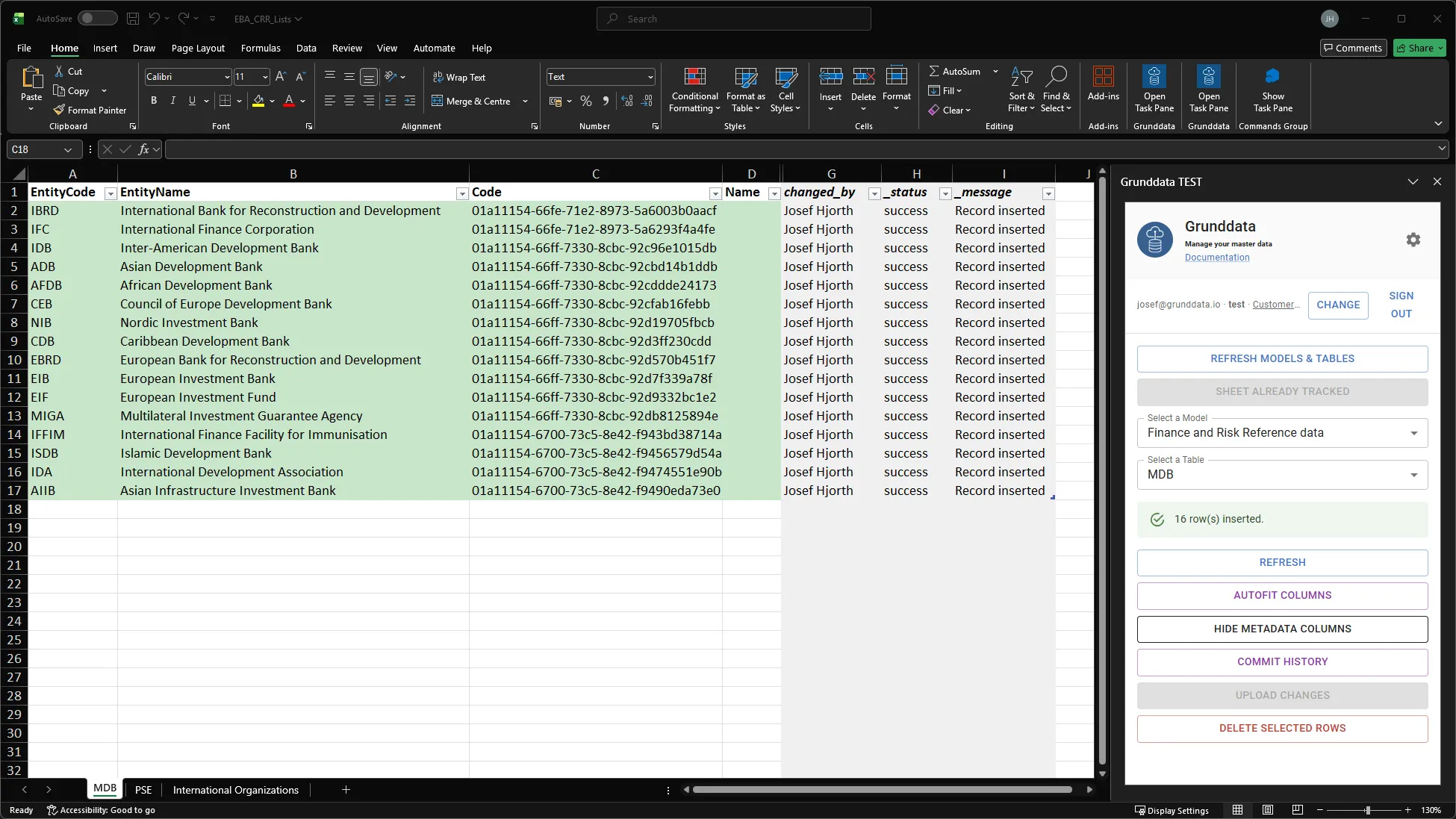
Excel add-in publishing a table to Grunddata, with who changed each row

01One version, owned by the business

You decide who may change what. The business maintains its tables in the web app, Excel or Google Sheets, and every change is validated before it is published.

The business works in Excel, Grunddata validates and versions the data, and IT, the data warehouse and reporting tools read it through API and OData

02No tickets. IT reads directly.

Tables keep their structure and the data is validated. IT reads it through API and OData like any other business system.

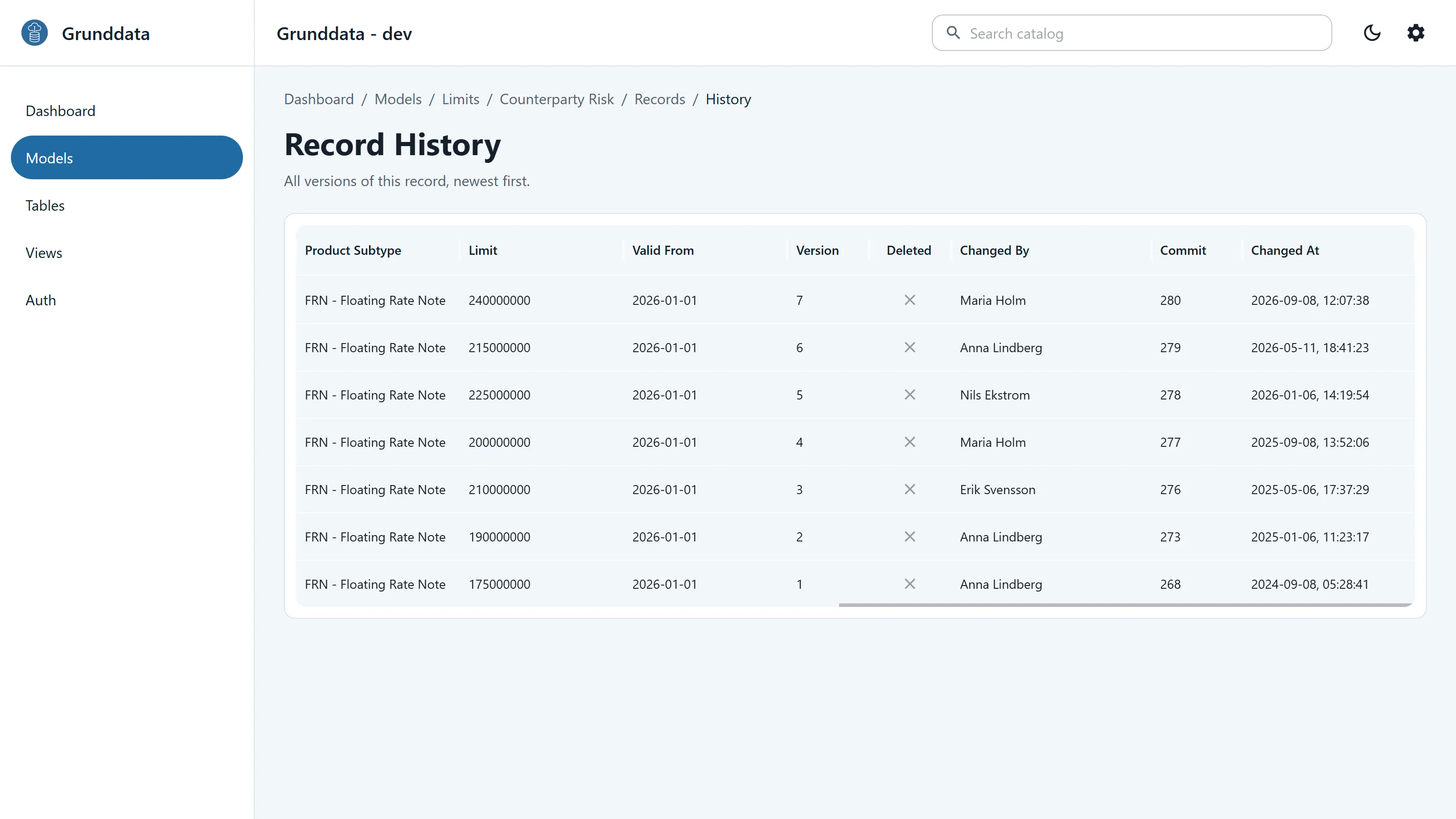
Version history for one limit record, showing each change and who made it

03Every change visible: who, what, when

Every save is versioned with author, timestamp and a message saying why. Deleted records stay in the history.

Auditability by default

Nothing is silently overwritten

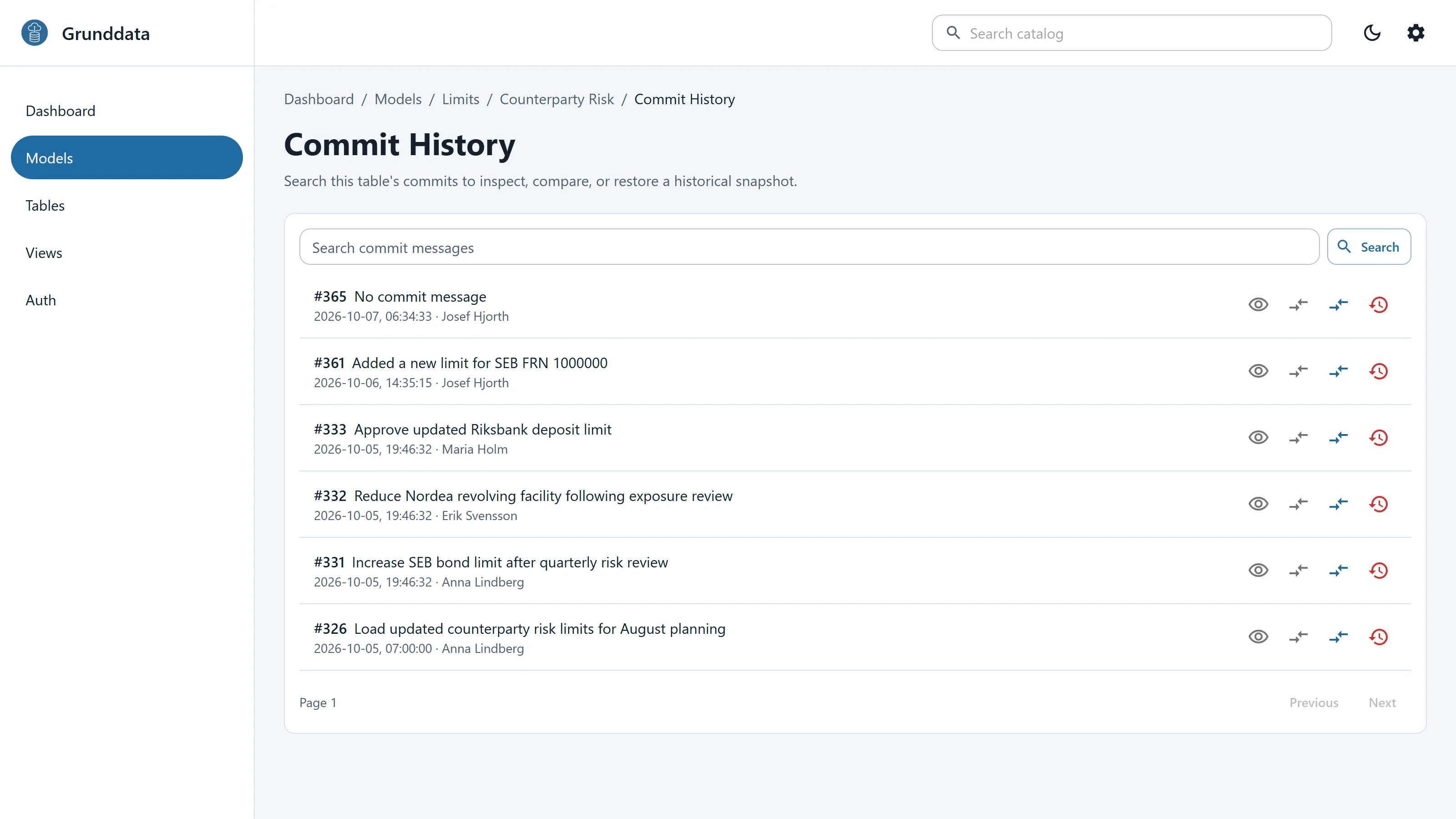
Every save is a commit with author, timestamp and message. Every record keeps its full version history and audit trail. That is what auditors and regulators ask for when they want to know how a number in a report came to be. You can also go back and see a table as it was at an earlier point in time.

Commit history for a table, with message, time and author for each change

Excel and Google Sheets

The Excel your team already knows, with a system behind it

Load a table into a worksheet and edit many rows at once. Pick valid values from lists and upload when you are ready. Every change is validated and versioned.

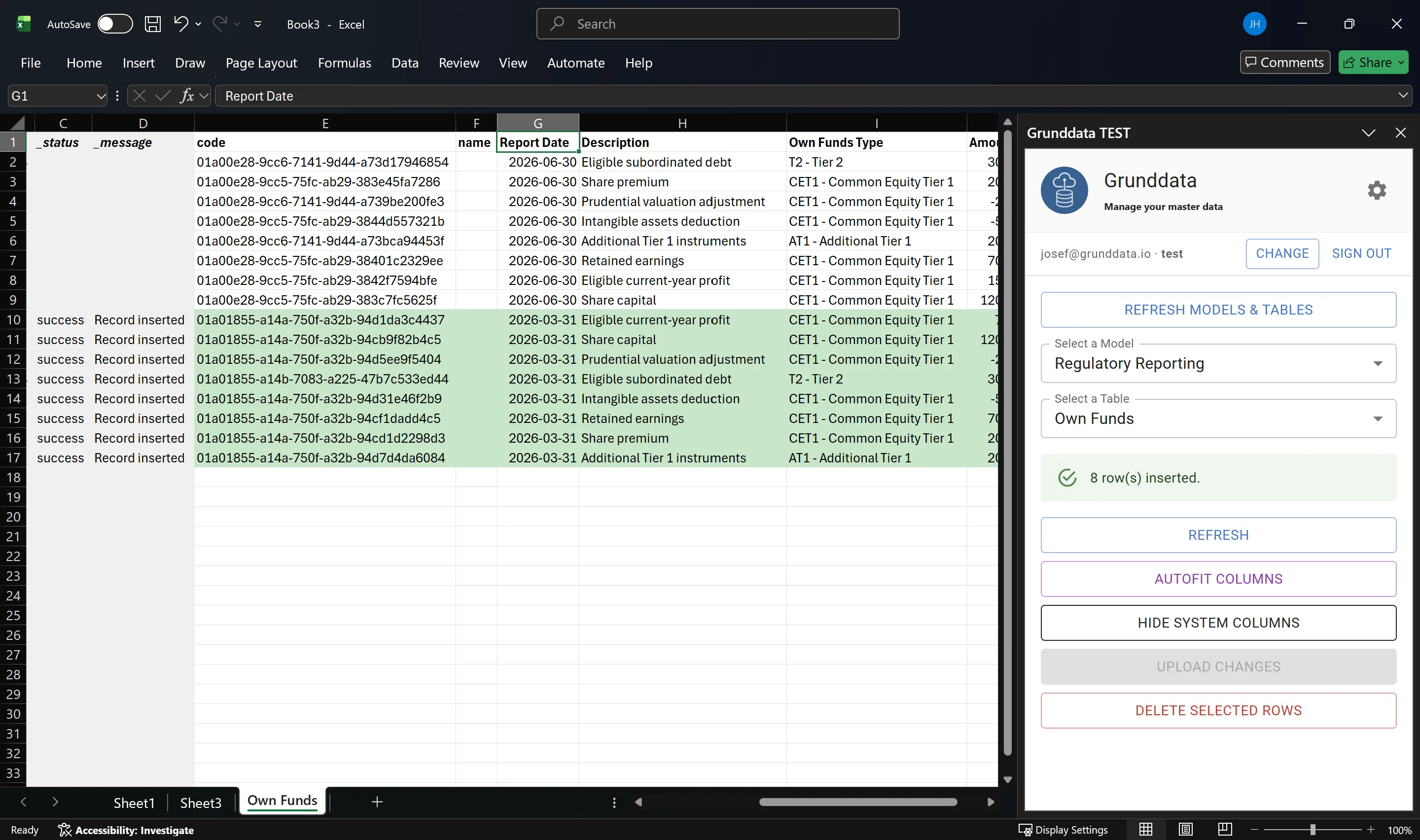
Grunddata Excel add-in with a counterparty table loaded and the Grunddata panel open

Excel add-in

Bulk edits with validation before anything is saved. Formulas are saved as well as values.

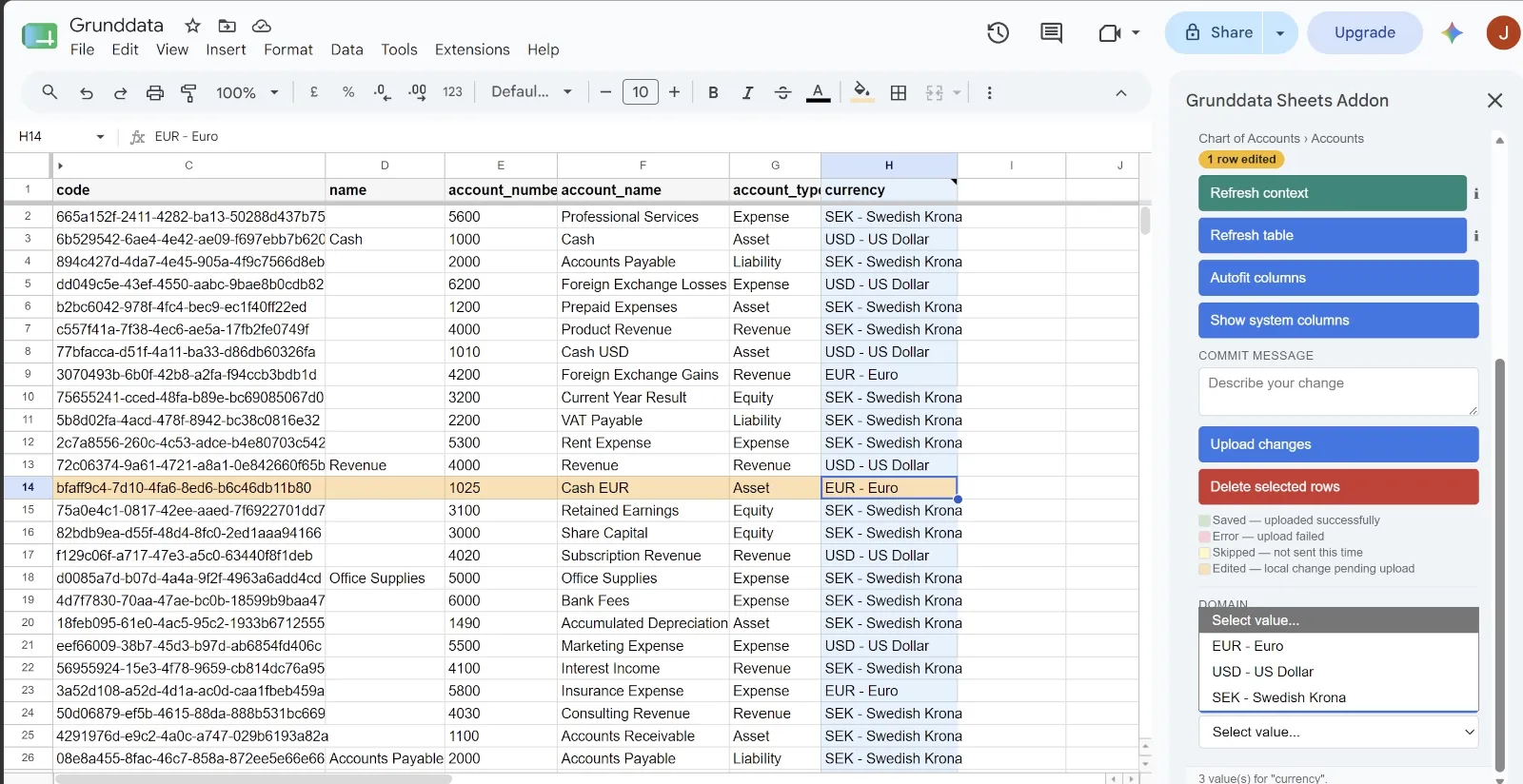
Grunddata Google Sheets add-on showing a chart of accounts table with validation and upload controls

Google Sheets add-on

Teams in Google Workspace edit and upload data from Sheets, with the same validation and version history as Excel.

Inside the platform

A quick tour of the web app

Models, tables, records and domain values in the customer interface.

Grunddata customer interface

This video is hosted by YouTube and loads only when you choose to play it.

Who works with Grunddata

One source for the business, IT and analysts

The web app, Excel, Google Sheets, API and OData all use the same data and the same rules.

For the business

Maintain your own data, without a ticket

Work in the web app, Excel or Google Sheets. Edit many rows at once and publish when you are ready.

  • Bulk edits with validation before saving
  • Row-level success and error messages

For IT and integration teams

Automate through the API

Integrations follow the same validation and versioning rules as the web app and add-ins.

  • Interactive Swagger and ReDoc documentation
  • Batch operations for ETL and synchronisation
  • Connect with Microsoft Entra ID or an API key

For analysts and data teams

Analyse in Excel, Power BI, notebooks or the tool you prefer

Publish selected views through a read-only OData feed or the API, and build your reports on them.

  • Connect from Excel, Power BI or a notebook
  • Filter at the source for faster refreshes
  • Stable SourceId values for relationships

Dedicated infrastructure in the EU

A dedicated environment in the EU

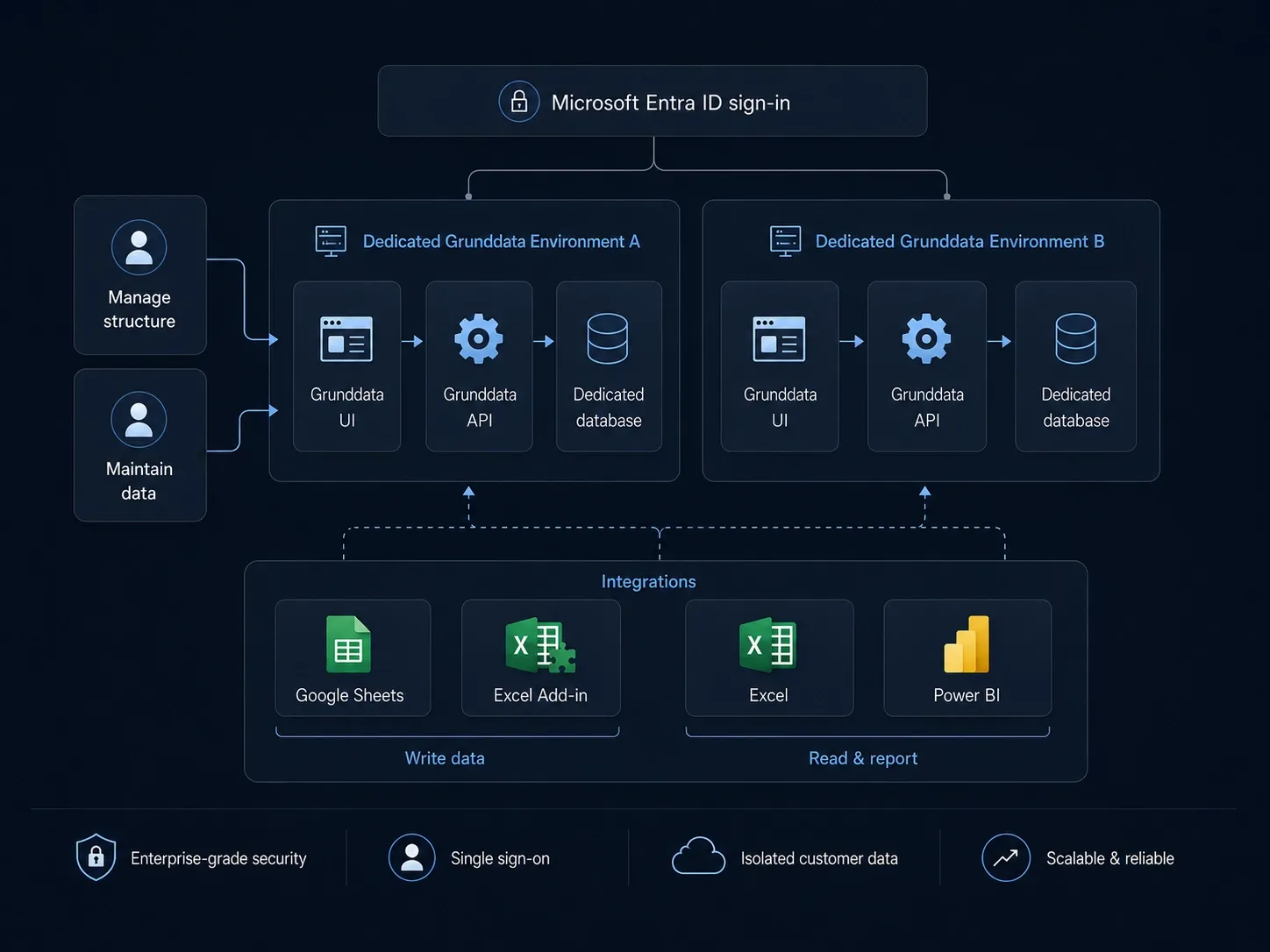
Each customer runs in its own environment with an isolated database. Microsoft Entra ID handles sign-in. Separate environments for development, test and production are available when you need them.

Grunddata architecture with dedicated virtual machines and isolated customer databases

The team

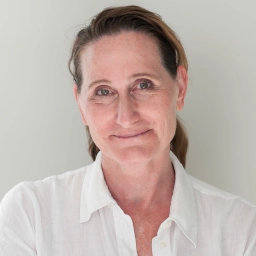
  • Josef Hjorth profile photo
    We built Grunddata to give the data that lives outside your systems a proper home, with the traceability regulators and auditors expect.
    Josef Hjorth, CEO
  • Martin Hedman profile photo
    Business data should be simple to maintain, trace and share with the systems that depend on it.
    Martin Hedman, CTO
  • Eric Segelberg profile photo
    Dedicated EU environments, Microsoft Entra ID and reliable operations are how we run Grunddata.
    Eric Segelberg, Infra and security specialist

Board of Directors

Backed by people who have sat on your side of the table

Ulrika Valassi profile photo

Ulrika Valassi

Ulrika Valassi has more than 35 years of experience from banking and financial services, including senior credit and risk roles at SEB in Sweden and New York. She has extensive board experience in banking, fintech and other regulated industries. Current and previous assignments include Ålandsbanken, Sparbanken Sjuhärad, Swedencare, Intrum and Hemfosa.

Jimmi Brink profile photo

Jimmi Brink

Jimmi Brink has more than 25 years of experience in financial services, from Finansinspektionen, the Swedish Bankers’ Association and SEB. He co-founded FCG, now Advisense, where he is active in senior leadership and on the board. His expertise is governance, risk, compliance and financial regulation.

Sophie Lilliehöök profile photo

Sophie Lilliehöök

Sophie Lilliehöök has broad experience from banking and financial services at Arktika Capital, Hoist Finance and SEB. Her roles span risk management, capital and liquidity reporting, client coverage and trading control.

Josef Hjorth profile photo

Josef Hjorth

Josef Hjorth is an entrepreneur and technology executive. Through his company Simplicit, he has worked as an IT consultant in the financial sector for 20 years, focusing on risk and regulatory reporting. He combines deep technology expertise with hands-on experience of the data challenges regulated financial institutions face.

Common questions

Frequently asked questions

Is Grunddata a master data management tool?

No. MDM tools manage master data: parties, products, internal organisation and geography, with matching and golden records. Grunddata handles the data the business adds on top, such as reference data, mappings, classifications, hierarchies and reporting parameters. Some call it supplementary master data or reference data management, others departmental or reporting structure master data. Grunddata sits next to your MDM and data warehouse, not instead of them.

Can we keep working in Excel?

Yes. Excel and Google Sheets stay your interface, and Grunddata becomes the system of record behind them. Every edit is validated and versioned, and the same data feeds your reports and integrations.

We use Google Sheets. Can we work with Grunddata?

Yes. The Google Sheets add-on uses the same API, validation rules and version history as Excel and the web app.

What happens to Microsoft Master Data Services (MDS)?

Microsoft has removed MDS from SQL Server 2025, and a recent update stopped it working for some organisations on SQL Server 2022. Grunddata is a managed alternative for what most organisations used MDS for: reference data, mappings, hierarchies and parameters maintained by the business. Read our guide on migrating from Microsoft MDS.

Where is our data stored?

In the EU, on infrastructure dedicated to your organisation. Each customer runs on its own virtual machine with an isolated database. Nothing is shared with other customers.

Who changed what, and when?

Every save is a commit with author, timestamp and message, and every record keeps its full history. Deleted records are marked as deleted, not erased. You can compare versions and restore earlier states. This supports the traceability that BCBS 239 and your auditors expect. Read our guide on BCBS 239 and business-maintained data.

Does Grunddata replace our existing systems?

No. It complements them. Grunddata holds the data your business systems don't, and makes it available to them through API and OData.

How long does it take to get started?

A trial environment is ready within minutes of our first contact. Bring a real use case, for example an Excel file your reporting depends on, and we guide the onboarding around it.

What does it cost?

From EUR 1,500 per month for one dedicated environment and 10 users. Additional environments and users are priced separately. See the pricing section below.

Pricing

Controlled management of the data your business runs on

Start with one dedicated environment and 10 users from EUR 1,500 per month. Scale environments, users and infrastructure as you grow.

Grunddata Enterprise

From EUR 1,500 / month

One dedicated environment, 10 users, full platform access, onboarding and premium support.

Scale when you need to

Additional environments
From EUR 1,000 / month
Additional users
EUR 20 / user / month
Larger infrastructure
Based on configuration

Included

Everything you need to get started

  • Full platform access during evaluation
  • Guided onboarding
  • Premium support with direct access to our team
  • Migration guidance included
  • No long-term commitment during evaluation

Try Grunddata

See how Grunddata fits your organisation

Start with a dedicated trial environment and guided onboarding around your own use case. No long-term commitment during evaluation.

Next step

Tell us about your data use case

Share your work email and we will get back to you about a walkthrough and a trial suited to your data.